






Artificial Intelligence (AI) is revolutionizing industries worldwide, and the design sector is no exception. From automating repetitive tasks to generating creative concepts, AI is reshaping how designers work, innovate, and deliver results. This in-depth guide explores the impact of AI on modern design, covering key applications, benefits, challenges, and future trends.


A. Understanding AI in Design
AI refers to computer systems capable of performing tasks that typically require human intelligence, such as learning, problem-solving, and decision-making. In design, AI tools enhance creativity, streamline workflows, and improve efficiency.
1. Key AI Technologies in Design
-
Machine Learning (ML): Algorithms that improve through data analysis.
-
Generative AI: Creates designs based on input parameters.
-
Computer Vision: Analyzes and interprets visual data.
-
Natural Language Processing (NLP): Understands and generates human language for design briefs.
B. Applications of AI in Modern Design
1. Graphic Design
AI-powered tools like Adobe Sensei and Canva’s Magic Design automate tasks such as:
-
Image Editing: Auto-enhancing photos, removing backgrounds.
-
Layout Suggestions: Recommending optimal design compositions.
-
Font Pairing: Selecting complementary typography.
2. Web and UX/UI Design
AI improves user experience through:
-
Personalization: Tailoring interfaces based on user behavior.
-
A/B Testing Automation: Quickly testing design variations.
-
Chatbots: Enhancing customer interaction with AI-driven interfaces.
3. Industrial and Product Design
AI aids in:
-
3D Modeling: Generating prototypes using generative design.
-
Material Optimization: Suggesting sustainable materials.
-
Ergonomic Analysis: Ensuring user-friendly product designs.
4. Fashion Design
AI applications include:
-
Trend Forecasting: Analyzing data to predict fashion trends.
-
Virtual Try-Ons: Allowing customers to visualize outfits.
-
Pattern Generation: Creating unique textile designs.
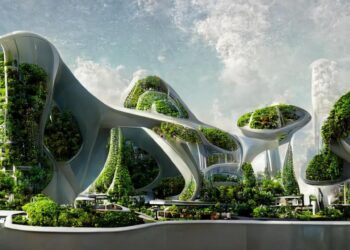
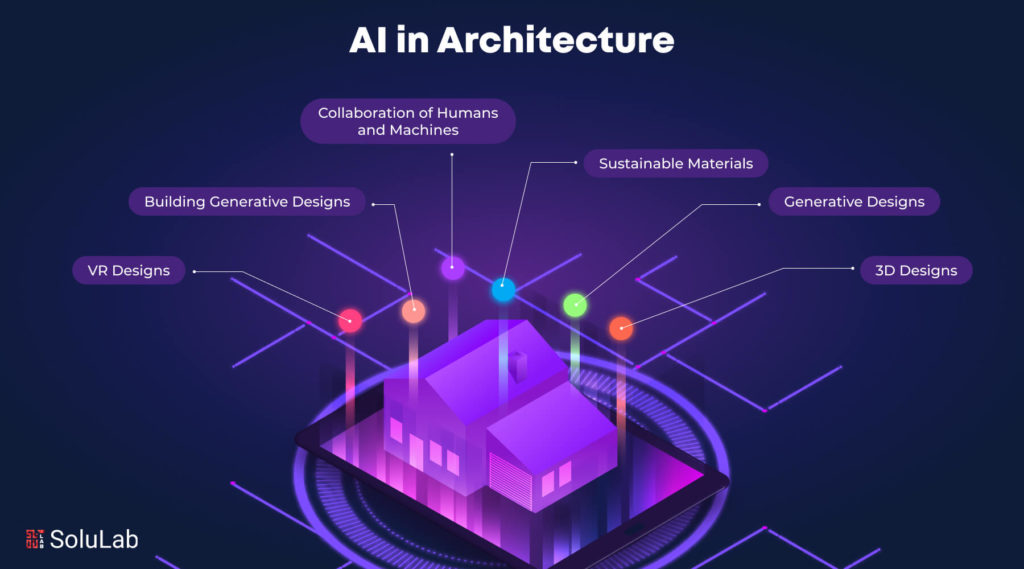
5. Architectural Design
AI assists architects with:
-
Building Performance Simulation: Optimizing energy efficiency.
-
Space Planning: Automating floor plan layouts.
-
Structural Analysis: Ensuring safety and compliance.
C. Benefits of AI in Design
1. Increased Efficiency
-
Automates repetitive tasks (e.g., resizing images, generating templates).
-
Reduces project turnaround time.
2. Enhanced Creativity
-
Provides inspiration through AI-generated concepts.
-
Expands design possibilities with generative tools.
3. Cost Savings
-
Lowers labor costs by minimizing manual work.
-
Reduces errors and revisions.
4. Data-Driven Decisions
-
Analyzes user feedback to refine designs.
-
Predicts trends for better market alignment.
5. Accessibility
-
AI tools make design more accessible to non-experts.
-
Enables real-time collaboration across teams.

D. Challenges and Ethical Considerations
1. Job Displacement Concerns
-
Fear that AI may replace human designers.
-
Counterargument: AI augments rather than replaces creativity.
2. Bias in AI Algorithms
-
AI may inherit biases from training data.
-
Solution: Diverse datasets and ethical AI development.
3. Intellectual Property Issues
-
Who owns AI-generated designs?
-
Legal frameworks are still evolving.
4. Over-Reliance on AI
-
Risk of losing human touch in design.
-
Balance is key—use AI as a tool, not a crutch.
E. Future Trends in AI-Driven Design
1. Hyper-Personalization
-
AI will create designs tailored to individual preferences.
2. Real-Time Collaboration
-
Cloud-based AI tools enabling global teamwork.
3. AI in AR/VR Design
-
Enhancing virtual experiences with intelligent design elements.
4. Sustainable Design Solutions
-
AI optimizing eco-friendly materials and processes.
5. Emotion-Sensitive Design
-
AI detecting user emotions to adjust interfaces dynamically.

F. Top AI Design Tools to Watch
| Tool | Function |
|---|---|
| Adobe Firefly | Generative AI for images, vectors, and templates. |
| Figma AI | Automates design suggestions and prototyping. |
| MidJourney | Creates stunning visuals from text prompts. |
| Autodesk Generative Design | Optimizes 3D models for engineering. |
| Canva Magic Design | Instantly generates social media and presentation designs. |
G. How Designers Can Adapt to AI
1. Upskill in AI Tools
-
Learn platforms like Adobe AI, Runway ML, and DALL-E.
2. Focus on Strategy
-
Shift from execution to creative direction and problem-solving.
3. Embrace Collaboration
-
Work alongside AI to enhance productivity.
4. Stay Ethical
-
Advocate for unbiased and transparent AI use.
Conclusion
AI is transforming modern design by boosting efficiency, creativity, and personalization. While challenges exist, the synergy between human designers and AI promises a future of limitless innovation. Embracing these changes will be key to staying competitive in the evolving design landscape.
Tags: AI in design, generative AI, graphic design tools, future of design, machine learning, UX design, AI creativity, design automation, ethical AI, design trends